 iPhone & iPad · Six sources · Read-only
Your product and your revenue. Without watching the dashboard.
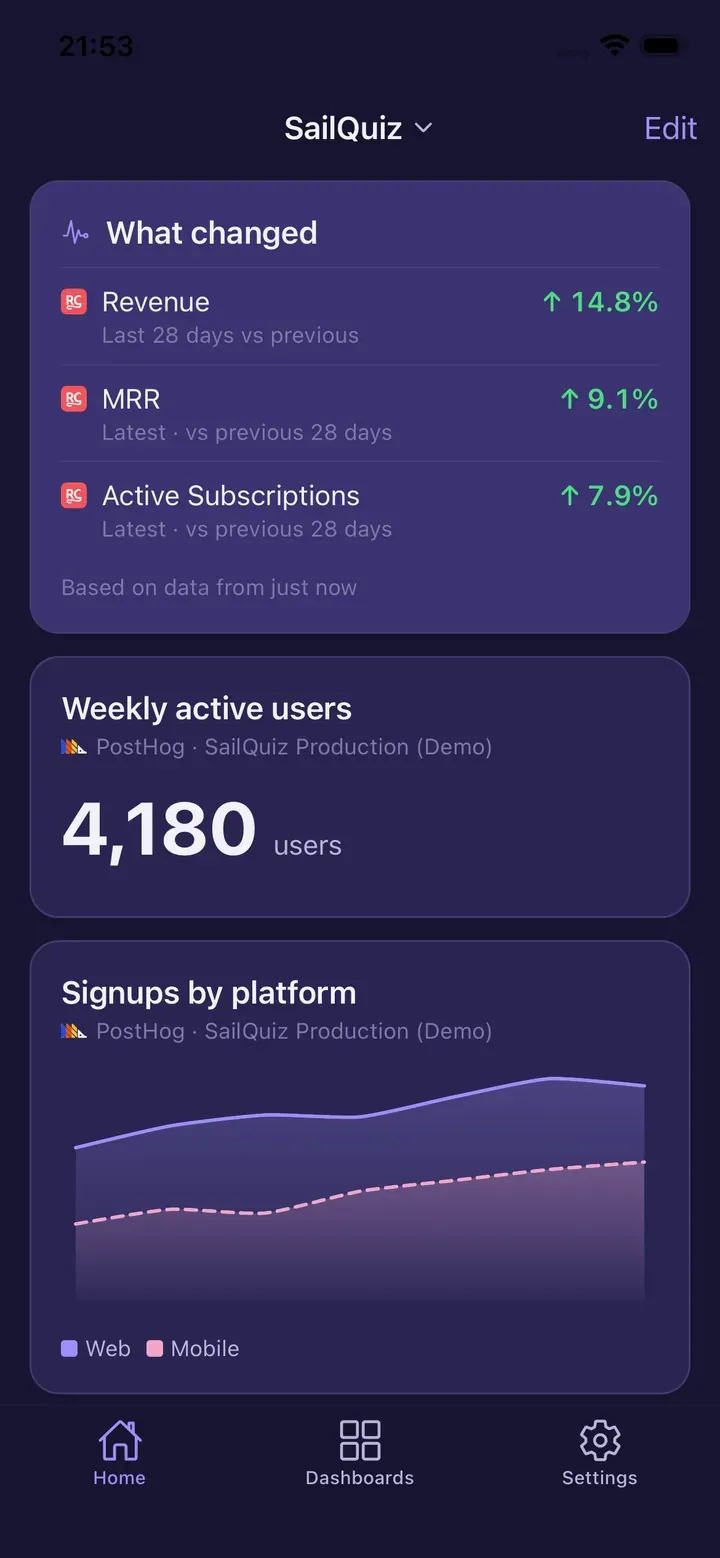
HogView reads your PostHog dashboards and your RevenueCat subscriptions side by side, and tells you what actually changed.
HogView is an iPhone and iPad app. We will send you one link when it ships.
Six sources — PostHog, RevenueCat, Stripe, Sentry, App Store Connect and Plausible — in one column. Every number carries its comparison, its source, and its real age. When a refresh fails, HogView says so, says why, and keeps showing you what it has.
- Six sources
- Comparisons on every number
- Honest when it breaks
- Read-only
- No HogView server
- Keys in the iOS Keychain
- Widgets (iOS 17)
- Try it with sample data
Services HogView reads
- PostHog
- RevenueCat
- Stripe
- Sentry
- App Store Connect
- Plausible
Read-only by construction: nothing in HogView's provider interface can write. It cannot change your dashboards, insights, feature flags, experiments or settings.
One screen, however many services you use.
Subscription revenue from RevenueCat. Payments from Stripe. Errors from Sentry. Visitors from Plausible. Product events from PostHog. Downloads from App Store Connect. One scrollable column, and every card names the service it came from.
Product analytics and subscription revenue in the same view is the pairing HogView was built for — a solo developer's two questions, answered next to each other instead of in two tabs.
- Grouped by source, not flattened. A Stripe number never quietly becomes a PostHog number.
- One broken source does not blank the screen. The tile that failed says so; the rest keep working.
- Grids, funnels and charts drawn natively. Not reduced to a counter and a sparkline.
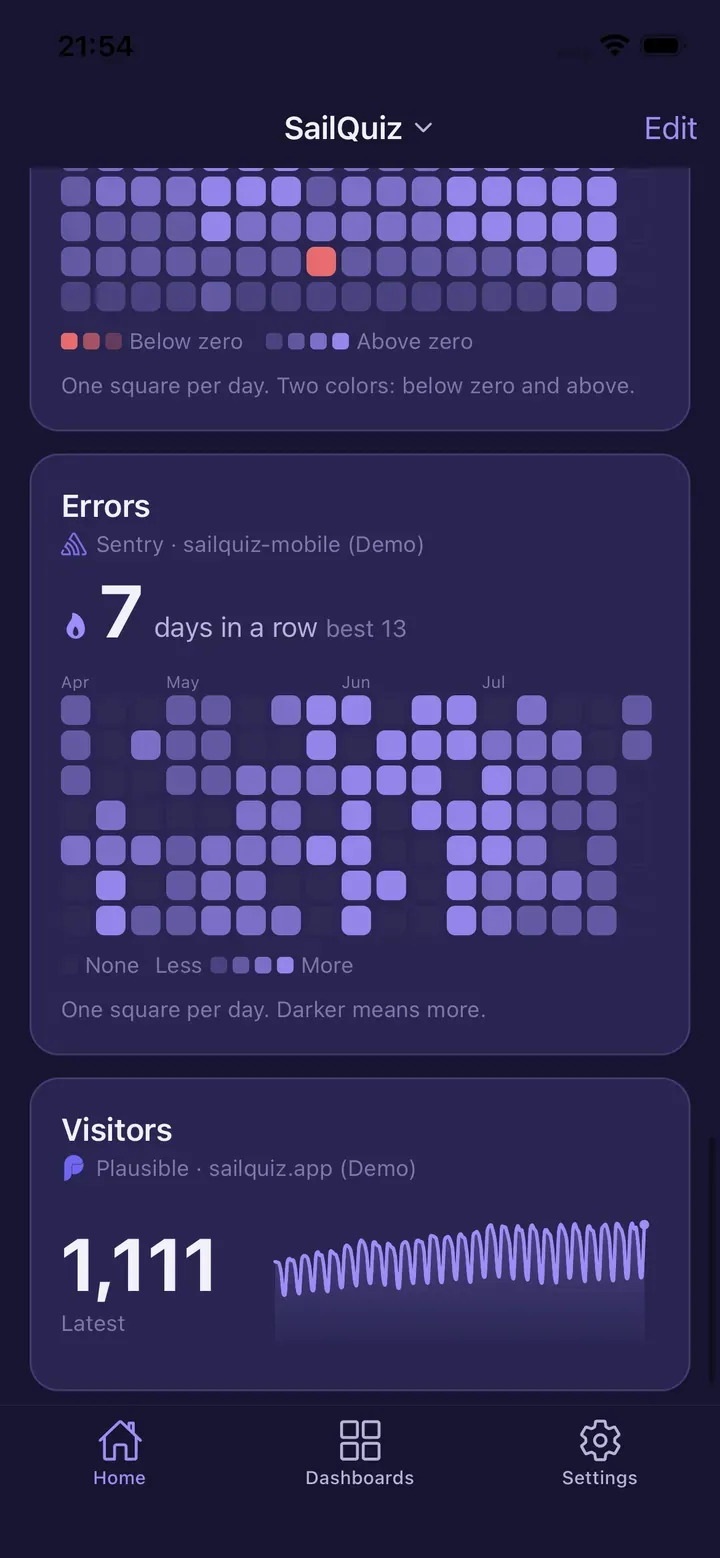
A chart, and the numbers behind it.
Tap any point and read the exact values. Below every chart sits a Data panel — total, average, median, peak — and a full period-by-period table. The median is there because one annual invoice drags an average and does not move a median.
At the top of the screen, a freshness badge: Live · just now, or the real age of the oldest number on screen — not the moment you pulled to refresh.
HogView polls its sources and serves cached results, and says which of the two you are looking at. That is the point: the value is that old data is labelled, not that it never appears.
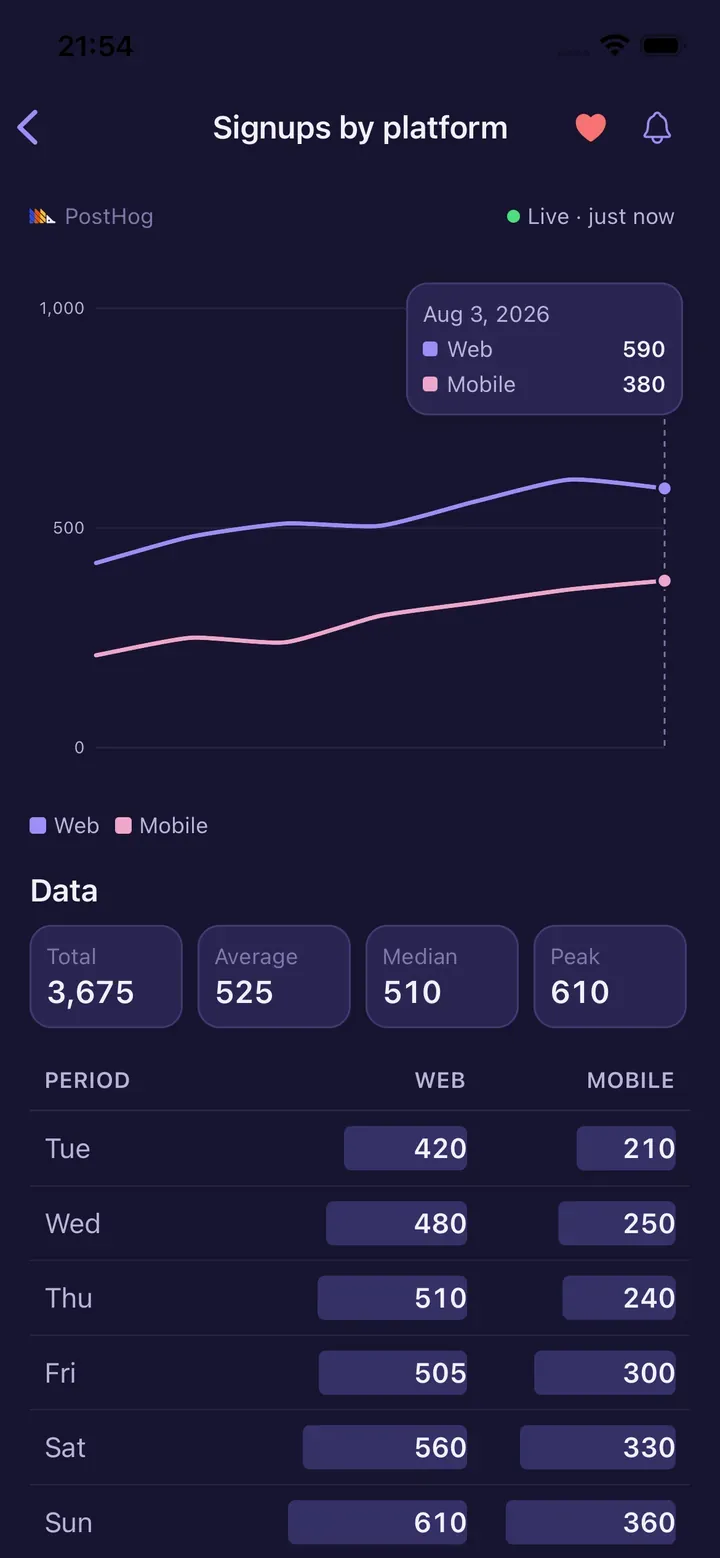
Your dashboards, rebuilt for a phone.
HogView reads the dashboards you already built. Filter by service, search across them, and open any tile full-screen. Funnels keep their step counts and drop-off percentages. Activity grids keep a day per square.
Some PostHog insight types — lifecycle, stickiness, paths and world map — render as a labelled unsupported-type fallback rather than as a wrong chart.
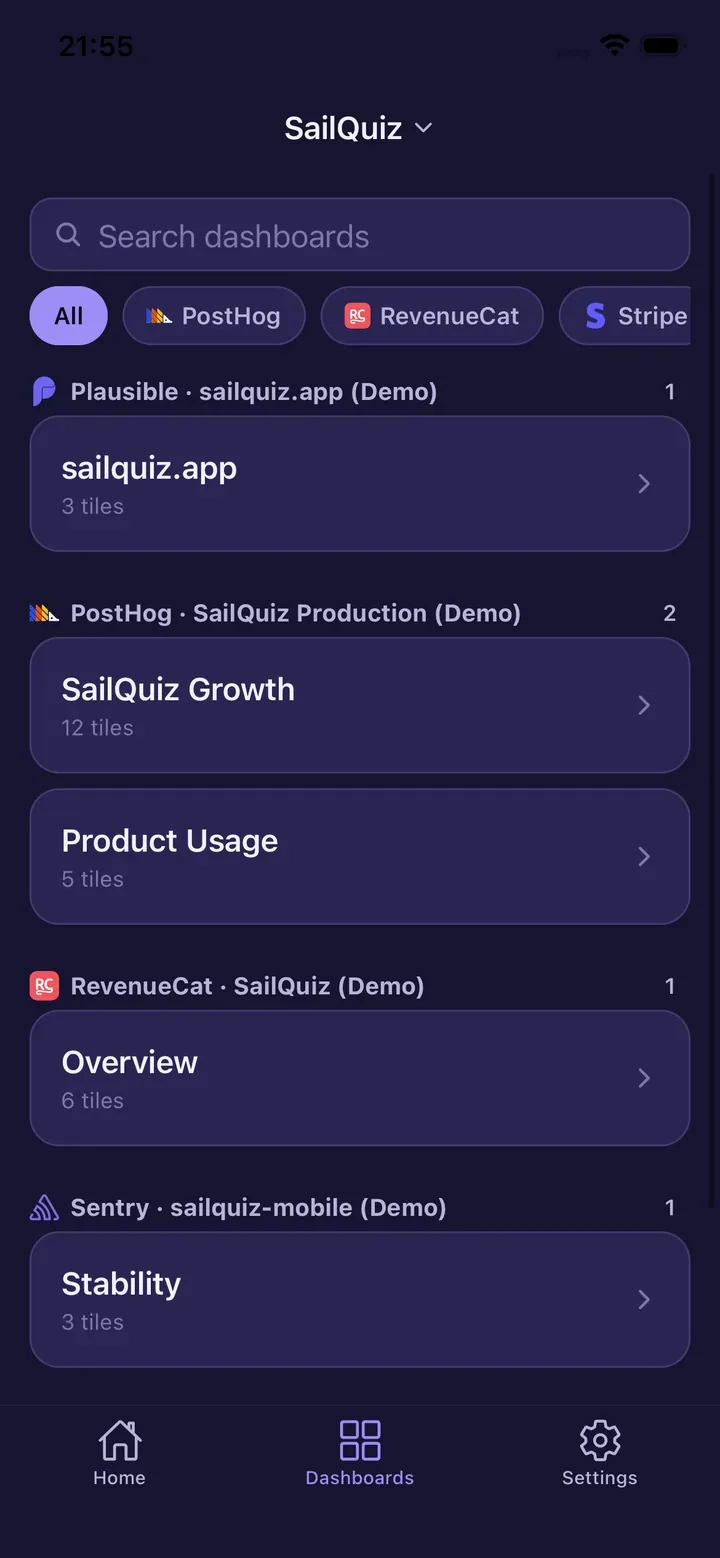
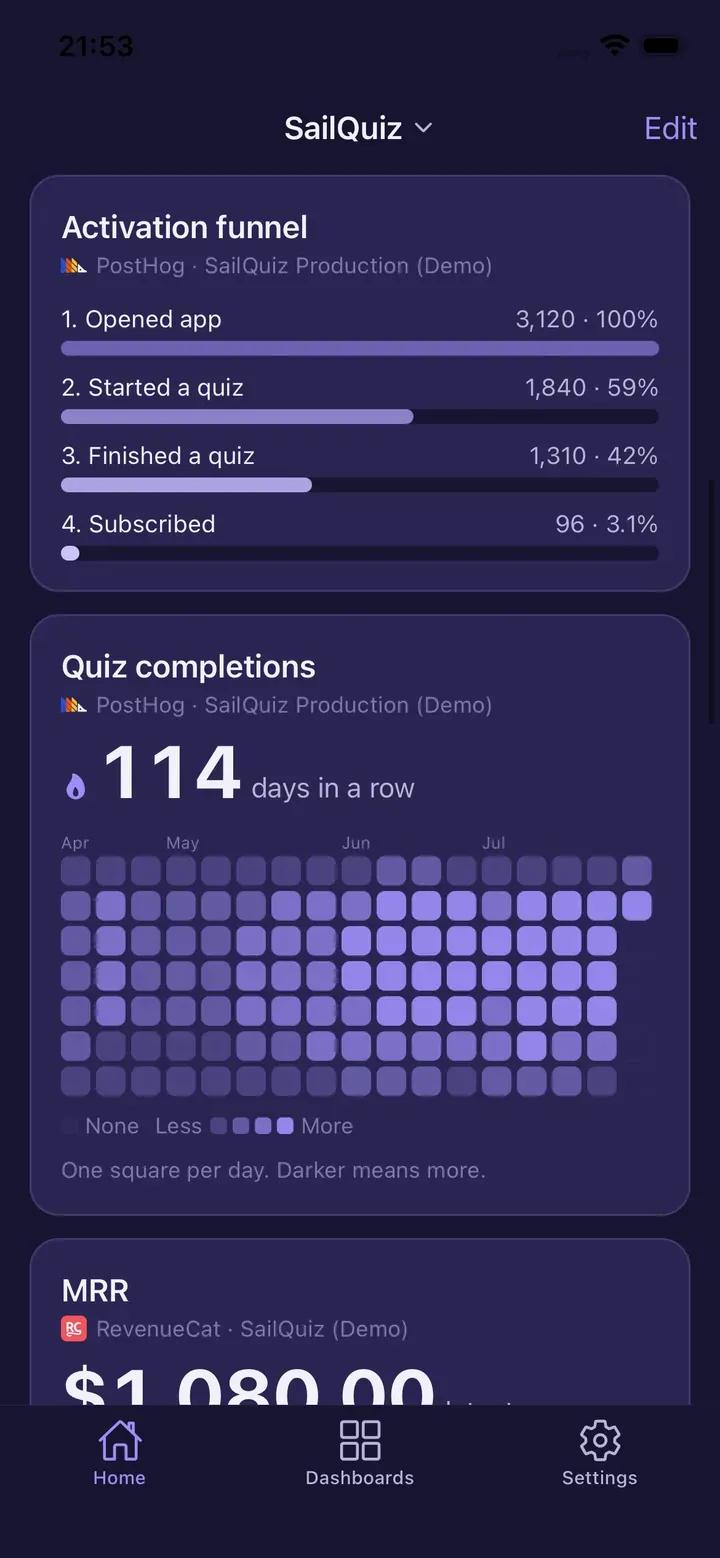
Try the whole app before you connect anything.
Sample-data mode fills HogView with a fictional product so you can move through the real app — dashboards, insight detail, activity grids, the freshness states, even a deliberately failed tile — without an API key.
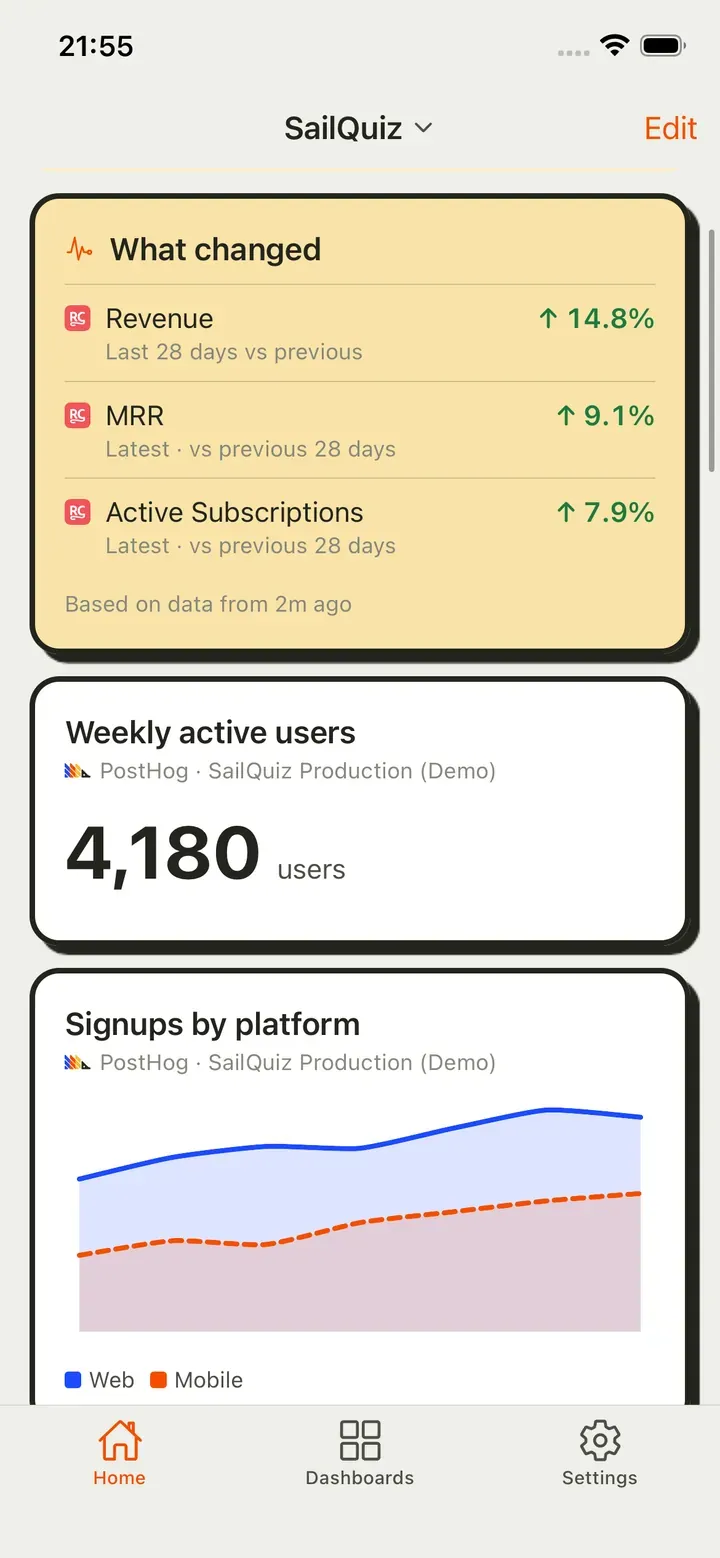
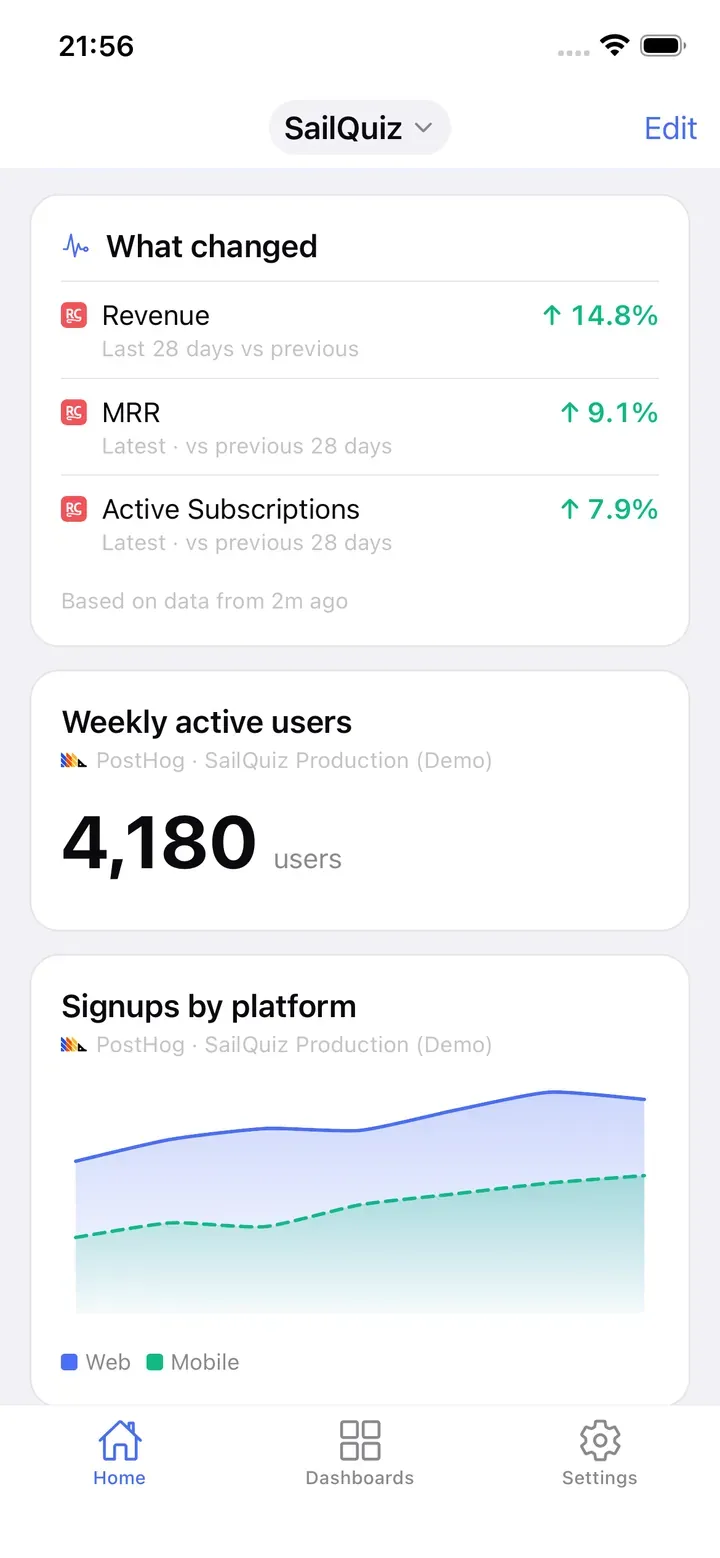
The fictional product is called SailQuiz. That is not a coincidence: this page is on sailquiz.com, and the same person builds both. Every screenshot above is sample data, and the app says so — look for the (Demo) label next to each service.
What HogView does with your keys, stated as mechanisms.
- Your API keys are stored in the iOS Keychain on your device, with
WHEN_UNLOCKED_THIS_DEVICE_ONLYprotection. - HogView connects directly from your device to the services you configured, over HTTPS. There is no HogView server, and none of your analytics data passes through one.
- HogView is read-only: no method on its provider interface writes. It cannot change your dashboards, insights, feature flags, experiments or settings.
- Fetched data is cached on your device so you can read your last-loaded numbers offline, and is deleted when you disconnect the source.
- Alerts and the daily digest are computed on your device from thresholds you set. There is no push server.
- Apple's privacy manifest declares no tracking and exactly one collected data type: Purchase History — the App Store receipt needed to sell the subscription — not linked to you and not used for tracking.
Those are mechanisms, not adjectives. This page will not tell you HogView is private or safe; it tells you how it is built and lets you decide.
HogView is an independent, third-party PostHog client. It is not affiliated with, endorsed by, or sponsored by PostHog.
Free is a working app, not a demo.
The free plan is one product, one source and three pinned metrics — and behind them the entire viewing surface at full fidelity. Every dashboard, every insight, every activity grid, every comparison. Nothing about reading your own data is rationed, degraded or shortened.
| Free | Pro | |
|---|---|---|
| Products | 1 | Unlimited |
| Sources per product | 1 | Unlimited |
| Dashboards, insights, activity grids | ✓ | ✓ |
| Pinned metrics | 3 | Unlimited |
| Home Screen widget | — | ✓ |
| Daily digest | — | ✓ |
| Alerts | — | ✓ |
| Calculated metrics | — | ✓ |
HogView Pro — $4.99 a month, or $39.99 a year (about $3.33 a month). The annual plan includes a 7-day free trial. These are US prices; the App Store shows you your own.
Every limit is add-only. If a subscription lapses, nothing is taken away — everything you already connected stays readable and removable. You simply cannot add more.
Three looks. Same numbers.
Nebula, Brutalist and Porcelain — or follow whatever your phone is set to.
Questions people ask first
Is HogView made by PostHog?
No. HogView is an independent, third-party PostHog client. It is not affiliated with, endorsed by, or sponsored by PostHog. The same is true of RevenueCat, Stripe, Sentry, Plausible and Apple — HogView is a client for their APIs, built by someone else.
Which services can it read?
Six: PostHog, RevenueCat, Stripe, Sentry, App Store Connect and Plausible. Each one connects with a key you create in that service and can revoke at any time.
Do I need an API key to try it?
No. Sample-data mode runs the whole app on a fictional product, so you can see exactly what your dashboards would look like before you hand over anything.
Can HogView change anything in my account?
No, by construction. Nothing in its provider interface writes, so there is no code path that could edit a dashboard, an insight, a feature flag or a setting.
What does it cost?
The free plan is one product, one source and three pinned metrics, with every viewing feature included. Pro removes those limits and adds the Home Screen widget, the daily digest, alerts and calculated metrics, at $4.99 a month or $39.99 a year.
Which iPhones and iPads?
iOS 16.4 and later, iPad included. Home Screen widgets need iOS 17; on iOS 16 the app works fully, without widgets.
HogView is not out yet.
Leave an address and you get exactly one email, on the day it reaches the App Store.
HogView is an iPhone and iPad app. We will send you one link when it ships.